Due to increased hacking attempts involving website login systems, the current login page for our wordpress websites have been disabled as a precaution. To ensure security was not compromised, we created a new, clean login environment for WordPress websites. This is a proactive step designed to protect your site, your access, and your business.
Why we’re making this change
Unfortunately, hacking attempts have increased significantly worldwide, and small businesses are often targeted simply because attackers assume their security is “good enough.” While usernames and passwords used to be standard, they are no longer sufficient protection on their own, especially with automated login attacks and password leaks. That’s why we’re putting stronger safeguards in place now.
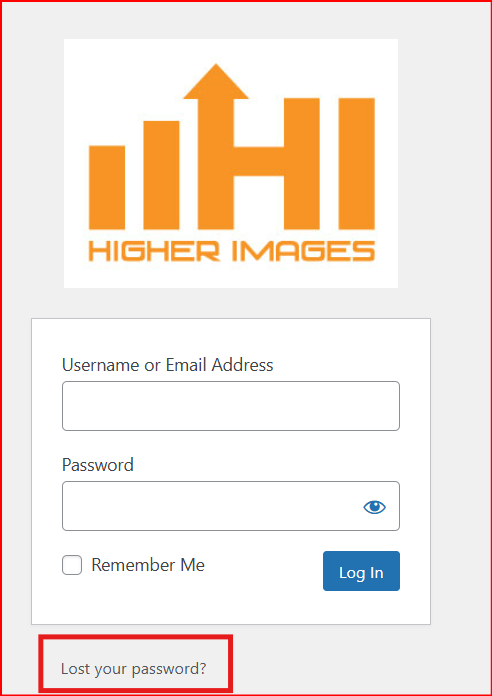
Your NEW login link for WordPress - (bookmark this)
Please use this link going forward to log in to your website: domain.com/myhi-space/ (please replace domain.com with your domain name.
*If this link does not work for you, please enter a ticket and we will get this resolved ASAP.
1. Resetting your password
Step 1: Go to the new login link
Click (or copy/paste) this link into your browser
Bookmark it so you can easily find it next time.
Step 2: Reset your password
On the login page, click Lost Your Password
Enter the email address you use for website access.
Check your inbox for the password reset email.
If you don’t see it within a few minutes, check your Spam/Junk folder.
Click the reset link in the email and create a new password.
Quick security tips (best practices)
To help keep your accounts safe (and your business protected), we strongly recommend:
Use a unique password for your website login (never reuse email, banking, or social passwords).
Make it long: aim for 14+ characters or use a passphrase (example format: ThreeRandomWords!2026).
Avoid easy guesses like company names, birthdays, or “Password123.”
Use a password manager if possible (it stores and creates strong passwords for you).
Don’t share logins via email or text. If multiple people need access, we can set up separate user accounts.
If you ever receive an email asking for your password, don’t click—reply to us first so we can verify it’s legitimate.
Thank you for your time, your business, and your cooperation as we put stronger protections in place. You may also receive additional communication from us regarding updated security protocols as needed.
Was this article helpful?
That’s Great!
Thank you for your feedback
Sorry! We couldn't be helpful
Thank you for your feedback
Feedback sent
We appreciate your effort and will try to fix the article